Protect Your Privacy. Secure Your Finances. Explore the Future of Cybersecurity.

How the Internet Actually Works (and Why VPNs Are Essential for Privacy)

Marty Olo

10/26/2025
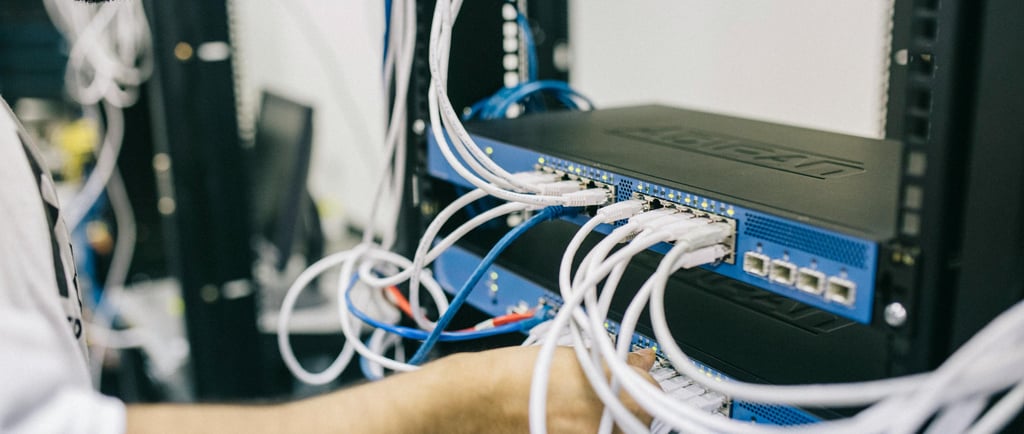
Every time you open a browser, send an email, or stream a video, you’re using one of the most powerful systems ever built — the internet. But have you ever wondered how it actually works?

In this guide, we’ll break down the basics of how information travels across the internet, what keeps it running, and how VPNs (Virtual Private Networks) help protect your privacy while you’re online.

1. What Is the Internet, Really?

The internet isn’t one big computer — it’s a global network of millions of smaller networks that communicate with each other. Think of it as a web of connected devices: computers, phones, routers, and servers all talking in a common digital language.

When you visit a website, your device connects to a server — a computer that stores that website’s files. This connection happens through a series of networks that route your request from your internet provider to the website’s host.

2. The Role of IP Addresses

Every device on the internet has a unique identifier called an IP address (Internet Protocol address).
It’s like your digital mailing address — it tells other computers where to send the data you requested.

For example:

  • Your phone or laptop gets an IP address from your internet provider.

  • When you visit a site like www.cyberhub.com, your browser first translates that name into an IP address through a system called DNS (Domain Name System).

  • Once that’s done, your device connects directly to that site’s server to exchange data.

3. How Data Travels Across the Web

Data doesn’t travel all at once. It’s broken into small packets, each carrying a piece of the information you’re requesting (like a puzzle piece).

Here’s what happens:

  1. You type a website address.

  2. Your device sends packets across routers and networks worldwide.

  3. The packets reassemble when they reach the destination.

All of this happens in milliseconds — faster than you can blink.

4. Why Privacy on the Internet Isn’t Guaranteed

Every step in this process — from your ISP to the websites you visit — can see parts of your activity. Your browsing habits, location, and even personal data can be tracked, stored, or sold to advertisers.

Public Wi-Fi networks are especially risky. Hackers can easily intercept data traveling through unencrypted connections, putting your passwords and personal information at risk.

5. Enter VPNs: Your Shield for Online Privacy

A VPN (Virtual Private Network) creates a secure, encrypted tunnel between your device and the internet. When you connect through a VPN:

  • Your IP address is hidden.

  • Your data is encrypted.

  • Websites and ISPs can’t easily track your online activity.

This means you can browse, shop, and stream without worrying about surveillance or hackers snooping on your data — especially when using public Wi-Fi.

6. How VPNs Actually Work

When you turn on a VPN:

  1. Your traffic is routed through a VPN server in another location.

  2. The VPN encrypts your data so even your ISP can’t read it.

  3. The website you’re visiting only sees the VPN’s IP address, not yours.

Essentially, you become anonymous online — your identity and physical location stay hidden.

7. The Real-World Benefits of VPNs

Using a VPN helps with more than just privacy.
Here’s what else it does:

  • Prevents identity theft by hiding personal data.

  • Bypasses geo-restrictions for content and streaming.

  • Protects sensitive information during online banking.

  • Shields your connection from malicious tracking scripts and advertisers.

8. Common Myths About VPNs

Myth #1: “VPNs make you completely anonymous.”
→ While VPNs boost privacy, they don’t make you invisible. Websites can still use cookies or browser fingerprints to identify you.

Myth #2: “VPNs slow down your internet.”
→ This depends on the provider. A good VPN uses optimized servers to minimize lag.

Myth #3: “You only need a VPN when traveling.”
→ In truth, you need one every day — even at home — to protect your browsing data.

9. Choosing the Right VPN

When selecting a VPN, look for:

  • No-log policies (they don’t store your data)

  • Strong encryption protocols (like AES-256)

  • Fast global servers

  • Multi-device support

Popular VPNs like NordVPN, ProtonVPN, and ExpressVPN are reliable choices known for security and performance.

Conclusion: The Internet Is Powerful — But It Needs Protection

Now that you understand how the internet actually works, you can appreciate just how much data travels behind the scenes every time you go online.

By using a VPN, you take control of your digital privacy, keeping hackers, advertisers, and even ISPs from tracking your activity.

Knowledge is your first line of defense — and now, you have it.